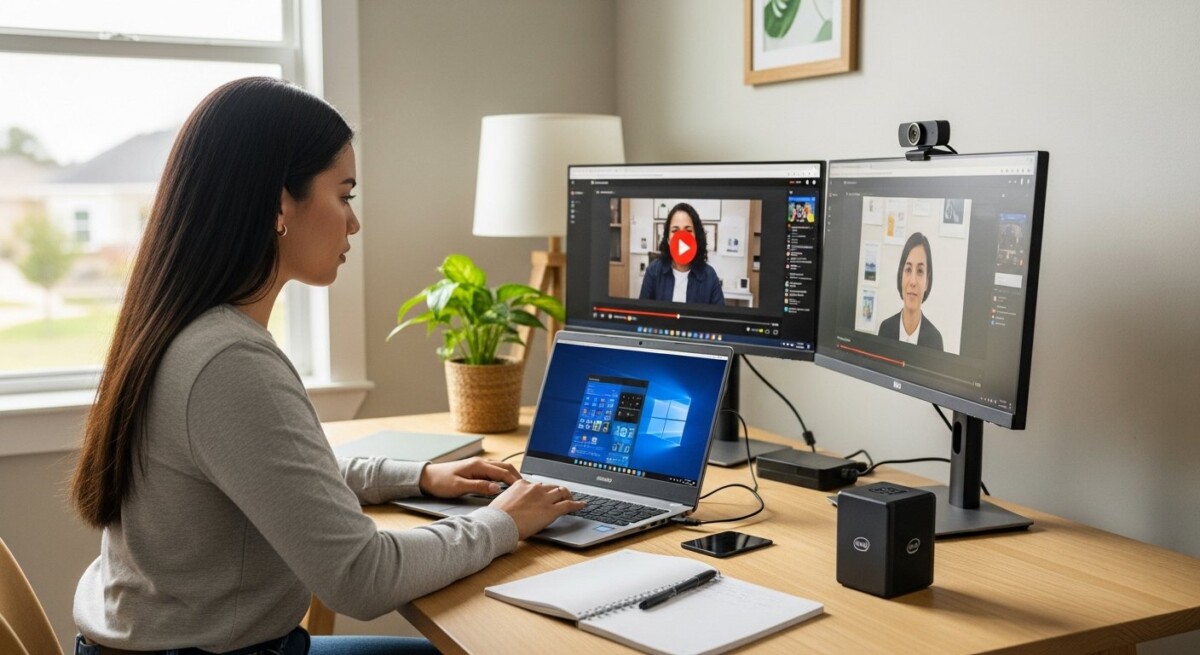
Remote learning has transformed from an emergency solution into a mainstream educational pathway. Whether you are pursuing a bachelor’s degree online or completing a graduate certificate from home, the technology requirements for remote learning can make or break your experience. Students who underestimate hardware and connectivity needs often face frustrating delays, dropped video calls, and missed deadlines. Understanding what you truly need before enrolling saves time, money, and unnecessary stress.
In this article, we break down the essential hardware, software, internet specifications, and peripheral devices that support successful online education. We also address common questions about accessibility, cost, and troubleshooting so you can start your program with confidence.
Core Hardware Requirements for Online Students
The foundation of any remote learning setup is the computer you use every day. While some programs allow tablet use, a laptop or desktop remains the most reliable option for completing assignments, participating in video discussions, and running required software. Most accredited online programs publish minimum hardware specifications, but those minimums rarely account for multitasking or long-term use.
For a smooth experience, aim for a computer with at least an Intel Core i5 or AMD Ryzen 5 processor, 8 GB of RAM (16 GB is better for data-heavy programs), and a solid-state drive (SSD) with 256 GB of storage. These specifications handle video conferencing, document editing, and research simultaneously without lag. If your program involves graphic design, engineering simulations, or data science, you will need a dedicated graphics card and additional RAM.
Your computer’s operating system should be a currently supported version of Windows (11 or later), macOS (Ventura or newer), or a mainstream Linux distribution. Outdated operating systems may not run required learning management system (LMS) plugins or security updates. Check your program’s specific software compatibility before purchasing a new device.
Choosing Between a Laptop and Desktop
Laptops offer portability, which is valuable if you study in different locations or attend hybrid classes. Desktops generally provide more processing power and larger screens for the same price. If your budget is limited, a mid-range laptop with a 15-inch display is a practical compromise. For STEM or design students, a desktop with dual monitors can significantly improve productivity.
Battery life matters more than you might expect. A laptop that lasts at least 8 hours on a single charge lets you attend back-to-back classes without hunting for an outlet. Look for models with fast-charging capabilities so a 30-minute break can restore several hours of use.
Internet Connectivity and Bandwidth Guidelines
Reliable internet access is arguably the most critical component of remote learning. Even the best computer cannot compensate for a spotty connection that drops during exams or live lectures. The technology requirements for remote learning nearly always include a broadband internet connection with a minimum download speed of 25 Mbps and upload speed of 5 Mbps. However, these numbers are the absolute floor.
For households with multiple people streaming video or gaming simultaneously, you should plan for at least 50 Mbps download and 10 Mbps upload. Video conferencing platforms like Zoom, Microsoft Teams, and Google Meet use 2 to 4 Mbps for HD video. If you share your connection, allocate an extra 5 Mbps per active user. Many online programs now use proctored exams that require continuous video monitoring, which demands stable upload speeds.
Consider these connectivity essentials:
- A wired Ethernet connection whenever possible for exams and important presentations
- A Wi-Fi 6 or Wi-Fi 6E router to reduce interference in dense living environments
- A backup internet source such as a mobile hotspot with a sufficient data plan
- Quality of Service (QoS) settings on your router to prioritize video traffic
- A mesh network if your study space is far from the main router
Test your connection speed during peak usage hours before your program starts. If speeds drop below 15 Mbps, contact your internet service provider about upgrading your plan. Some schools offer discounted internet packages for students, so check with your institution’s IT department.
Essential Software and Digital Tools
Beyond the operating system, online students need a suite of software tools to complete coursework, collaborate with peers, and communicate with instructors. Most universities provide access to Microsoft 365 Education or Google Workspace for Education free of charge. These platforms include word processing, spreadsheets, presentation software, and cloud storage.
Your learning management system (LMS) will be your academic home base. Common LMS platforms include Canvas, Blackboard, Moodle, and D2L Brightspace. These systems host course materials, assignments, discussion boards, and gradebooks. Familiarize yourself with the LMS before classes begin. Watch tutorial videos and explore each feature so you do not waste time hunting for submissions buttons during your first week.
Additional software requirements vary by program. Business students may need statistical analysis tools like SPSS or Excel add-ins. Nursing students often require virtual simulation platforms. Education majors might use lesson planning software. Always review the technology requirements for remote learning listed on your program’s website and download trial versions if available.
Video Conferencing Etiquette and Tools
Video conferencing is central to synchronous online classes. You will need a reliable application such as Zoom, Microsoft Teams, or Webex. Most institutions provide licensed accounts. Beyond the software itself, learn basic features like screen sharing, virtual backgrounds, breakout room navigation, and mute controls. Practicing these functions before your first class reduces anxiety and technical hiccups.
Consider using a second monitor or tablet to view the video feed while taking notes on your primary screen. This setup mirrors the in-person classroom experience where you can see the instructor and write simultaneously.
Audio and Video Equipment for Clear Communication
Built-in laptop microphones and webcams often produce poor audio and grainy video. Investing in basic external equipment dramatically improves your presence in virtual classes. A USB microphone or a headset with a noise-canceling microphone ensures your voice is clear during discussions and presentations. Your classmates and instructors will appreciate not hearing background noise from your environment.
For video quality, an external webcam with at least 1080p resolution provides a professional appearance. Many modern webcams include auto-focus and low-light correction, which helps if you study in a room with variable lighting. Place the webcam at eye level so you appear to be making direct eye contact with the class. A simple laptop stand or stack of books can achieve this position.

Lighting is often overlooked but critical. A ring light or a desk lamp positioned in front of you eliminates harsh shadows and makes you look awake and engaged. Avoid sitting with a bright window behind you, as it turns you into a silhouette. Good lighting requires no expensive equipment: a lamp with a white bulb placed behind your monitor works well.
Ergonomics and Study Environment Setup
Your physical comfort directly affects your ability to focus during long study sessions. An ergonomic setup prevents neck strain, back pain, and eye fatigue. Start with a chair that supports your lower back and allows your feet to rest flat on the floor. Your desk height should let your elbows form a 90-degree angle when typing.
Monitor placement matters. The top of your screen should be at or slightly below eye level, about an arm’s length away. If you use a laptop, consider a separate keyboard and mouse so you can raise the screen to the correct height. Blue light filtering glasses or enabling night mode on your devices can reduce eye strain during evening study sessions.
Create a dedicated study space that is quiet, well-lit, and free from distractions. This space does not need to be a whole room. A corner of a bedroom with a desk and a room divider can work. Inform family members or roommates about your class schedule to minimize interruptions. A consistent study environment trains your brain to switch into learning mode when you sit down.
Accessibility and Assistive Technology
Online education should be inclusive. If you have a disability or learning difference, explore assistive technologies that can level the playing field. Screen readers like JAWS or NVDA work with most LMS platforms. Speech-to-text software such as Dragon NaturallySpeaking allows you to dictate essays and discussion posts. Text-to-speech tools can read course materials aloud, which helps with comprehension and reduces eye strain.
Many institutions offer free licenses for accessibility software through their disability services office. Reach out before your program starts to request accommodations and software access. Captioning services, extended exam time, and alternative formats for readings are common accommodations that rely on technology to function.
For students with attention disorders, focus apps like Freedom or Cold Turkey block distracting websites during study periods. Noise-canceling headphones create an auditory bubble that helps maintain concentration. These tools are not official requirements, but they can significantly improve your learning outcomes.
Budgeting for Your Technology Setup
Acquiring the right technology can feel expensive, but you do not need to buy everything at once. Prioritize the items that directly affect your ability to attend classes and submit work. A reliable computer and internet connection come first. Audio and video upgrades can wait until you have attended a few sessions and identified gaps.
Consider these strategies to reduce costs:
- Check if your school offers laptop loaner programs or technology grants
- Purchase refurbished or previous-generation devices from reputable sellers
- Use student discounts available from Apple, Microsoft, Dell, and Best Buy
- Apply for federal financial aid that can cover technology expenses
- Buy essential peripherals like webcams and microphones from discount retailers
Remember that these purchases are investments in your education. A $200 microphone that lets you participate clearly in every class is cheaper than retaking a course due to missed participation points. If you are exploring program options, our guide on essential technology requirements for your online degree provides additional budgeting advice tailored to different fields of study.
Frequently Asked Questions
Can I use a Chromebook for remote learning?
Chromebooks work well for many programs, especially those that rely on web-based tools and Google Workspace. However, they cannot run specialized software like SPSS, AutoCAD, or certain proctoring applications. Check your program’s specific software requirements before relying solely on a Chromebook. If your courses require Windows or Mac software, you will need a traditional laptop or a desktop.
What internet speed do I need for proctored exams?
Proctored exams typically require a stable upload speed of at least 3 Mbps and low latency. Wired connections are strongly recommended because Wi-Fi can drop during critical moments. Your internet plan should have no data caps, as proctoring software can use significant bandwidth over a two-hour exam.
Do I need a printer for online classes?
Most online programs are paperless, so a printer is optional. Some students prefer printing readings for annotation, but digital annotation tools like Kami or Adobe Acrobat work well. If your program includes scanned exams or worksheets, a printer can be convenient but is rarely required.
How do I know if my computer meets the requirements?
Review the technology requirements for remote learning published by your specific program. Many schools provide a system check tool that scans your computer and identifies missing components. You can also contact the IT help desk, which can recommend upgrades or compatible devices.
What happens if my internet goes down during a live class?
Most instructors understand that outages happen. Have a plan in place: know your instructor’s email, have a mobile hotspot ready, and save your work frequently. Some LMS platforms automatically record live sessions, so you can watch the recording later. Communicate with your instructor promptly if you experience an outage.
Beyond the basics, consider how your technology choices affect your long-term success. A setup that feels adequate today may feel limiting in six months as course demands increase. Building a little extra capacity into your hardware and internet plan gives you room to grow. For more guidance on selecting the right program and preparing financially, explore the resources at CollegeDegree.school, which offers additional insights for adult learners.
Remote learning offers incredible flexibility, but that flexibility depends on a solid technological foundation. By investing in the right equipment, testing your setup before classes begin, and planning for contingencies, you set yourself up for a productive and rewarding educational experience. The effort you put into preparing your technology now will pay dividends throughout your academic journey.